Apple Watch FMI OFF Service – Instant Activation
Logiciel iRemove
Instant Apple Watch FMI OFF Service powered by iRemove. Remove Activation Lock and perform iCloud Unlock remotely on supported Apple Watch models without shipping your device. Fast, secure, and fully automated processing with instant delivery. Verify compatibility, place your order, and activate your Apple Watch in minutes.
FMI OFF Service for Apple Watch
Unlock supported Apple Watch models with the official iRemove FMI OFF Service. The FMI OFF process is instant and remotely removes Find My Apple Watch from locked devices. No software installation, no cables, and no additional tools are required. Simply place your order and receive the result instantly.
Tarifs revendeurs préférentiels, gestion en volume, accès API et support prioritaire pour les professionnels.
Supported Apple Watch Models & FMI OFF Pricing
View the complete list of supported Apple Watch models eligible for the iRemove FMI OFF Service. Check compatibility, model identifiers, and pricing for Apple Watch Series, SE, and Ultra devices.
| Pricing | |||||
|---|---|---|---|---|---|
| Model | Service Name | Price | Model | Service Name | Price |
| Watch1,1 - Watch1,2 | Apple Watch 1st Gen | $20 | Watch6,14 - Watch6,15 | Apple Watch Series 8 | $100 |
| Watch2,6 - Watch2,7 | Apple Watch Series 1 | $30 | Watch7,1 - Watch7,2 | Apple Watch Series 9 | $130 |
| Watch2,3 - Watch2,4 | Apple Watch Series 2 | $35 | Watch7,8 - Watch7,9 | Apple Watch Series 10 | $140 |
| Watch3,3 - Watch3,4 | Apple Watch Series 3 | $40 | Watch7,13 - Watch7,14 | Apple Watch SE (3rd Gen) | $110 |
| Watch4,1 - Watch4,2 | Apple Watch Series 4 | $50 | Watch7,17 - Watch7,18 | Apple Watch Series 11 | $140 |
| Watch5,1 - Watch5,2 | Apple Watch Series 5 | $55 | |||
| Watch5,9 - Watch5,10 | Apple Watch SE (1st Gen) | $45 | |||
| Watch6,1 - Watch6,2 | Apple Watch Series 6 | $70 | |||
| Watch6,6 - Watch6,7 | Apple Watch Series 7 | $80 | |||
| Watch6,10 - Watch6,11 | Apple Watch SE (2nd Gen) | $60 | |||
Tarif pour les clients
Chaque client est important pour nous et nous sommes toujours heureux d'entendre vos commentaires. Le service iRemove bénéficie d'une excellente évaluation basée sur plus de 2 000 avis de clients. iRemove Tools figure dans le Top 1 des 16 meilleures entreprises dans la catégorie "Service de recyclage et de déverrouillage de téléphones portables" sur Trustpilot.
“ Once again, the iRemove Tools team delivers outstanding results! Their work is truly impressive. ”

How to Unlock Apple Watch Using iRemove Service
Follow the step-by-step guide below to remove Activation Lock from your Apple Watch using the iRemove FMI OFF Service. Verify your device, place your order, and receive an instant FMI OFF result remotely — no software installation or additional tools required.
Order Apple Watch FMI OFF Service
The iRemove Apple Watch FMI OFF Service is fully automated and delivers instant results. Simply create a wholesale account, add funds to your balance, select the service that matches your Apple Watch model, enter your Apple Watch serial number, and submit the order. Once the order is confirmed, the result will be available instantly, and you can follow the instructions to complete activation:
- 1. Place your Apple Watch on its charger and keep it connected.
- 2. Press and hold the Side Button (below the Digital Crown) until the power menu appears.
- 3. Press and hold the Digital Crown until the 'Erase All Content and Settings' screen appears.
- 4. Tap RESET and confirm the action.
- 5. Wait for the reset process to complete.
- 6. Set up your Apple Watch as a new device.
Once the reset is finished, the Activation Lock will be removed, and you can pair the watch with your iPhone and sign in using your own Apple ID.
How to Top Up Your wholesal Account with Crypto
Step 1: Sign In to Your iRemove Account
- Log in to your iRemove wholesale account using your credentials.
- Navigate to the Account Top-Up section.
Step 2: Choose a Cryptocurrency Payment Method
- Select USDT (TRC20/ERC20) or BTC as your payment method.
- Copy the wallet address generated for your deposit.
Step 3: Complete the Payment in Binance
- Sign in to your Binance account.
- Open the Withdraw section.
- Select the same cryptocurrency you chose in the iRemove portal.
- Paste the wallet address you copied from iRemove.
- Enter the amount and confirm the transaction.
Once the payment is confirmed, your account balance will be updated automatically. Please make sure you send the exact required amount, including any applicable network transaction fees. The received amount must match the required top-up amount for your balance to be updated correctly.
Partenariat avec le logiciel iRemove
Les grossistes et les propriétaires de petites entreprises apprécieront les avantages offerts par notre partenariat. Vous pouvez devenir notre partenaire si vous avez un magasin, un atelier ou une autre entreprise GSM. Le programme de partenariat iRemove prend en charge GSM Fusion, DHRU et d'autres services GSM populaires. Nous utilisons des connexions API pour connecter les sites Web des revendeurs aux services que nous proposons. Nous avons également développé un système de clients pour un accès rapide à tous les services.
Devenir un affilié iRemove
Vous avez un blog dédié à la technologie ? Vous gérez une chaîne YouTube ou un compte Instagram ? Rejoignez le programme d'affiliation iRemove pour gagner de l'argent supplémentaire et profiter d'un revenu passif. Vous pouvez proposer aux utilisateurs de Apple les services de déblocage et de contournement d'iRemove et bénéficier de votre statut d'affilié. Si vous souhaitez commencer à gagner de l'argent supplémentaire dès aujourd'hui, veuillez nous envoyer votre demande d'affiliation.
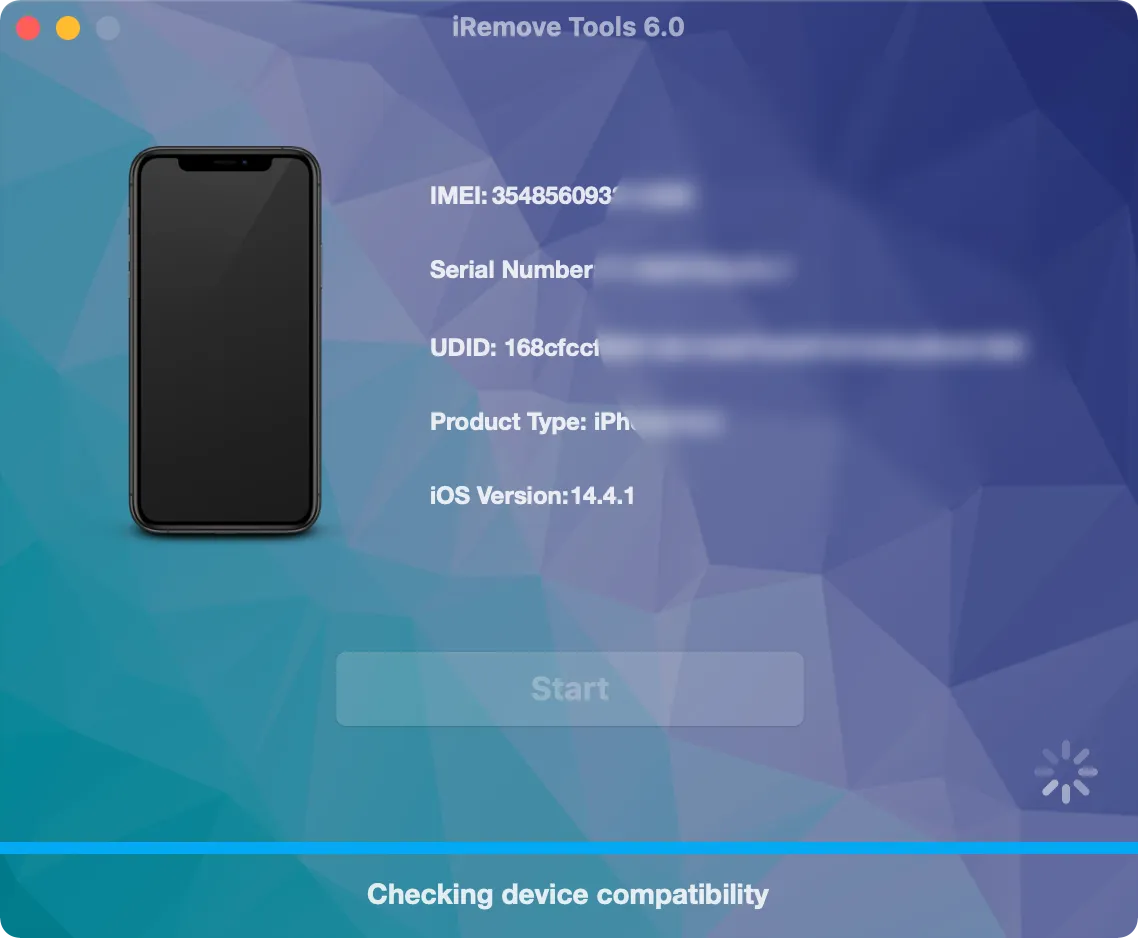
Vous cherchez toujours de l'aide ?
Ne vous inquiétez pas. Prenez contact avec notre équipe d’assistance technique. Nous sommes toujours heureux de vous aider.
Prenez contact avec notre équipe d'assistance technique.