Bypass iCloud on China CH\A Devices
Guida
Fast and reliable iCloud bypass for China CH\A devices with full model support and latest iOS compatibility.
To bypass CH/A Devices, follow these steps:
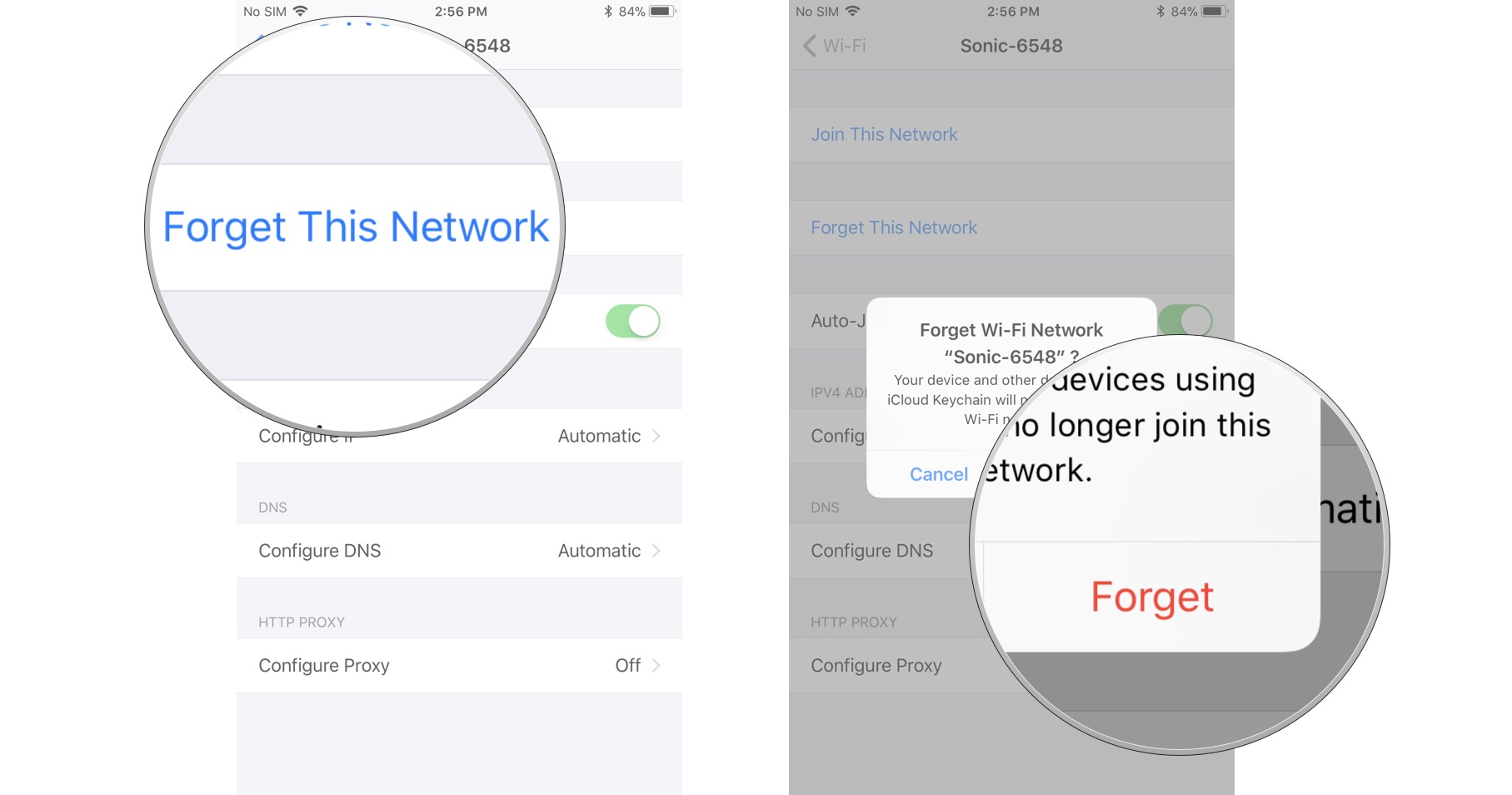
- Connect your iPhone to your Mac, then turn off Wi-Fi on your iPhone/iPad (Forget the connected Wi-Fi network in “More Wi-Fi Settings”).
- On your Mac, open System Settings → Sharing → Internet Sharing and enable it.
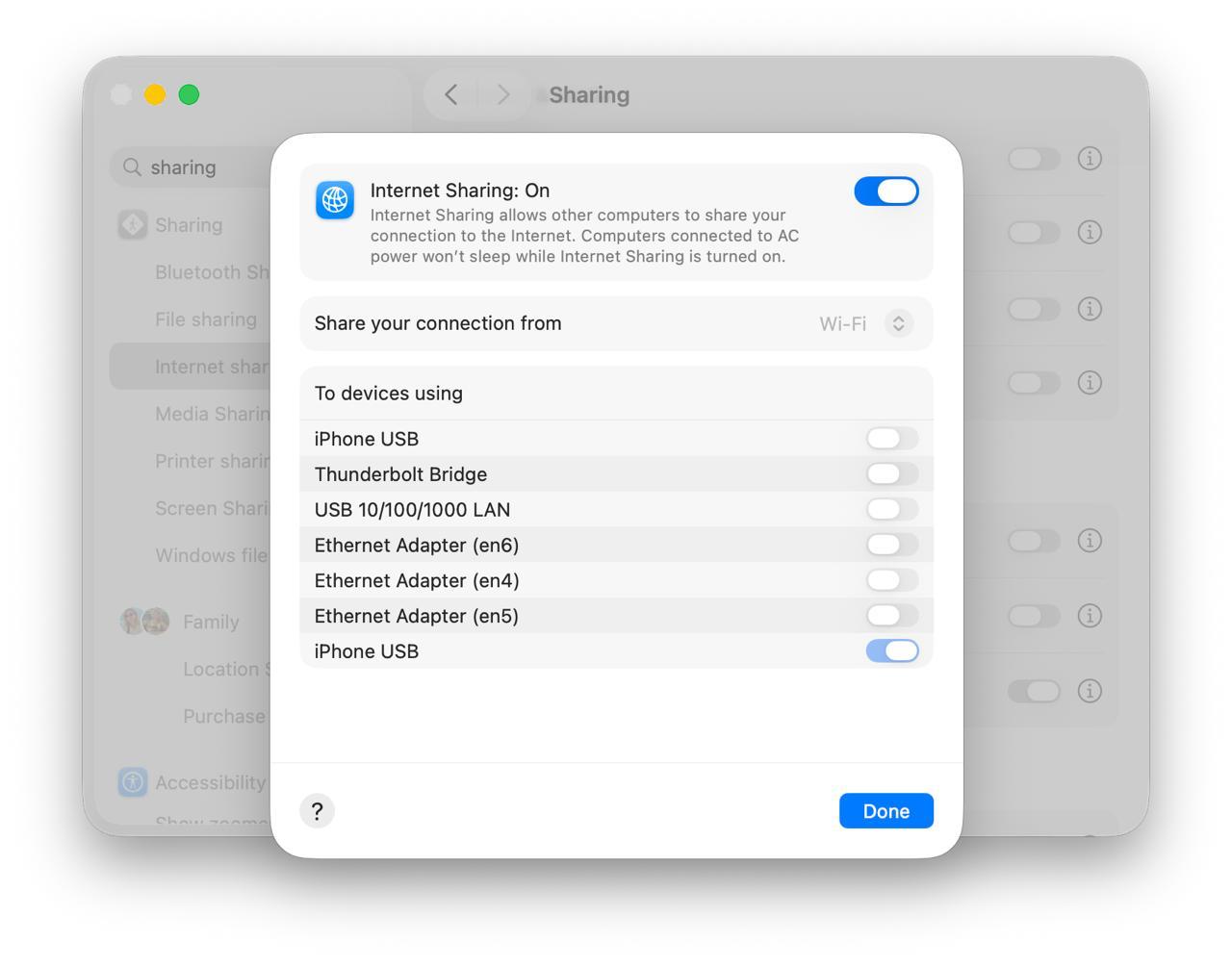
- Turn on iPhone USB and iPad USB, then click Done.
- Run the bypass process the same way you do with other supported devices.
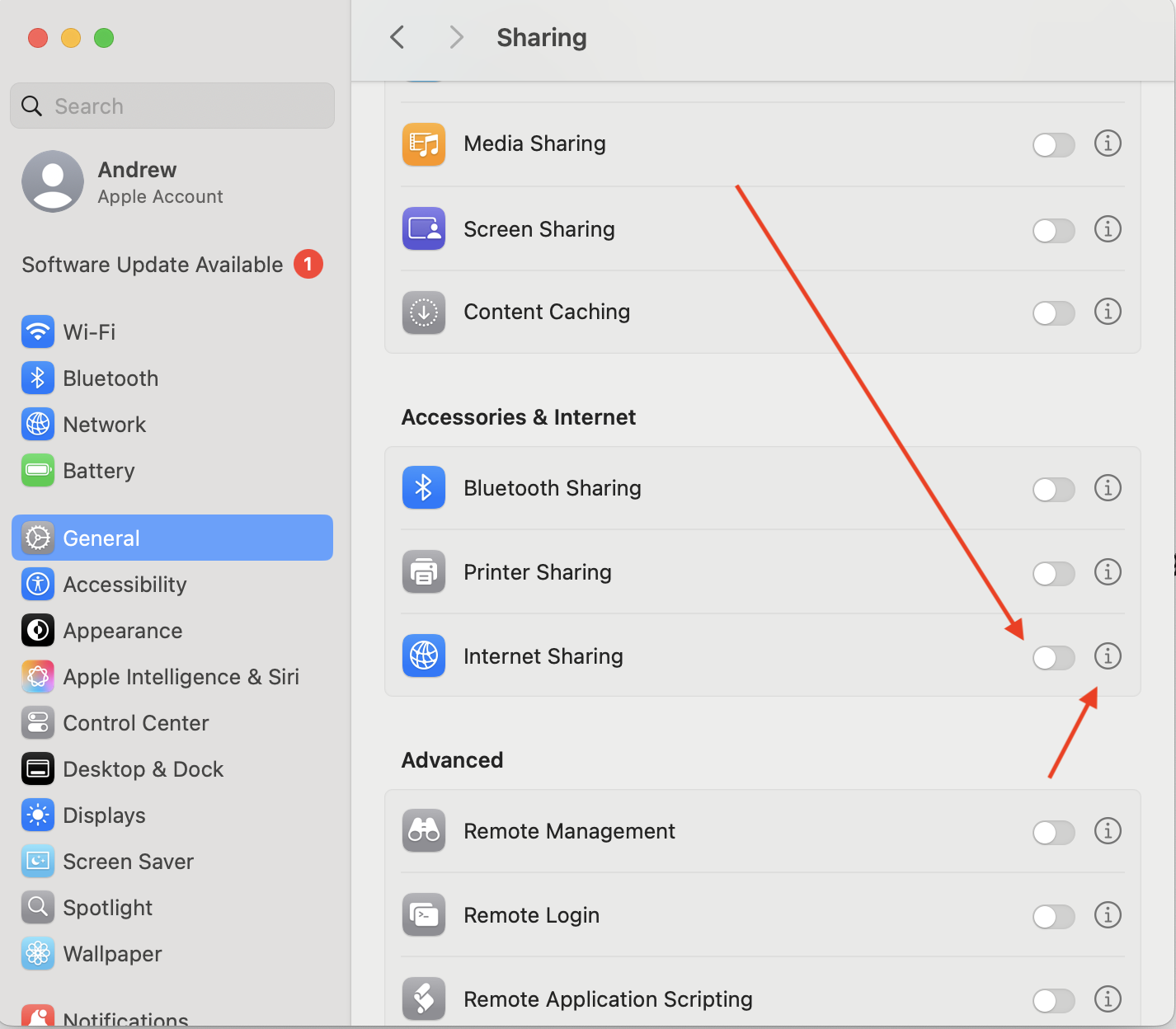
macOS 26:
Stai ancora cercando aiuto?
Per favore, non preoccuparti. Si prega di contattare il nostro team di supporto. Siamo sempre felici di aiutarti.
Contatta il nostro amichevole team di supporto