Guide: How to Install custom iOS 26.0 Beta 3
How to Install custom iOS 26.0 Beta 3
iRemove Software now supports Activation Lock bypass on A12+ devices running iOS 17.0.1 - iOS 18.6 (or iOS 26 beta). If your device runing iOS 18.6 you need to upgrade it to iOS 26 beta 3. If your device runing iOS version lower then iOS 17.0.1 you need to update it to iOS 26 beta 3 as well.
⚠️ Important: Make sure to select the correct firmware version for your specific device model to avoid errors or damage.
💻 For macOS Users:
- Connect your iPhone or iPad to your Mac via USB.
- Open Finder and select your device from the sidebar.
- Hold the Option (⌥) or Alt key and click “Check for Update.”
- Choose the iOS 26 Beta 3 custom IPSW file you previously downloaded.
- Confirm and begin installation.
- Wait for the restore process to finish — your device will reboot automatically.
🖥️ For Windows Users:
- Install the latest version of iTunes from the Microsoft Store.
- Connect your iPhone or iPad to your PC using a USB cable.
- Launch iTunes and open your device summary page.
- Hold the Shift key and click “Check for Update.”
- Select the iOS 26 Bata 3 custom IPSW file you previously downloaded.
- Confirm and allow the process to complete — your device will restart afterward.
✅ After restoring your device to custom iOS 26.0 beta 3 firmware, you can use iRemove Software to bypass Activation Lock on supported A12+ models.
Download iOS 26.0 beta 3 Custom IPSW [Direct Links]
iPhone 16e
iPhone 16 Pro Max
iPhone 16 Pro
iPhone 16 Plus
iPhone 16
iPhone 15 Pro Max
iPhone 15 Pro
iPhone 15 Plus
iPhone 15
iPhone 14 Pro Max
iPhone 14 Pro
iPhone 14 Plus
iPhone 14
iPhone SE (3rd generation)
iPhone 13
iPhone 13 mini
iPhone 13 Pro Max
iPhone 13 Pro
iPhone 12 Pro Max
iPhone 12 Pro
iPhone 12
iPhone 12 mini
iPhone SE (2nd generation)
iPhone 11 Pro Max
iPhone 11 Pro
iPhone 11
iPad Pro (M4, 13-inch, Cellular)
iPad Pro (M4, 13-inch, WiFi)
iPad Pro (M4, 11-inch, Cellular)
iPad Pro (M4, 11-inch, WiFi)
iPad mini (A17 Pro) Wi‑Fi + Cellular
iPad mini (A17 Pro) Wi‑Fi
iPad Air 11‑inch (M3) Wi‑Fi
iPad Air 11‑inch (M3) Wi‑Fi + Cellular
iPad Air 13‑inch (M3) Wi‑Fi
iPad Air 13‑inch (M3) Wi‑Fi + Cellular
iPad (A16) Wi‑Fi
iPad (A16) Wi‑Fi + Cellular
iPad Air (M2, 13-inch, Cellular)
iPad Air (M2, 13-inch, WiFi)
iPad Air (M2, 11-inch, Cellular)
iPad Air (M2, 11-inch, WiFi)
iPad Pro (12.9-inch, Cellular) (6th generation)
iPad Pro (12.9-inch, WiFi) (6th generation)
iPad Pro (11-inch, Cellular) (4th generation)
iPad Pro (11-inch, WiFi) (4th generation)
iPad (Cellular, 10th generation)
iPad (WiFi, 10th generation)
iPad Air 5 (Cellular)
iPad Air 5 (WiFi)
iPad Pro (12.9-inch, Cellular) (5th generation)
iPad Pro (12.9-inch, Cellular) (5th generation)
iPad Pro (12.9-inch, WiFi) (5th generation)
iPad Pro (12.9-inch, WiFi) (5th generation)
iPad Pro (11-inch, Cellular) (3rd generation)
iPad Pro (11-inch, WiFi) (3rd generation)
iPad Pro (11-inch, Cellular) (3rd generation)
iPad Pro (11-inch, WiFi) (3rd generation)
iPad Air 4 (Cellular)
iPad Air 4 (WiFi)
iPad mini 6 (Cellular)
iPad mini 6 (WiFi)
iPad 9 (Cellular)
iPad 9 (WiFi)
iPad 8 (Cellular)
iPad 8 (WiFi)
iPad Air 3 (Cellular)
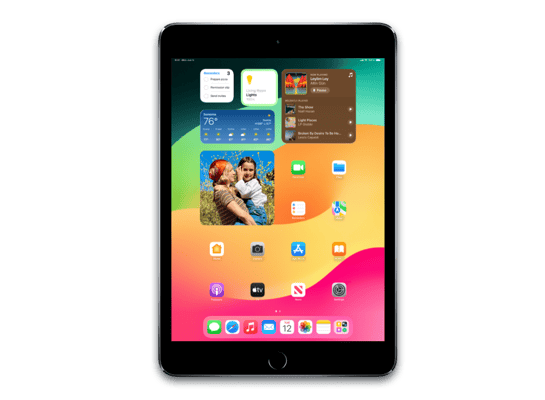
iPad Air 3 (WiFi)
iPad mini 5 (Cellular)
iPad mini 5 (WiFi)
iPad Pro 12.9‑inch (4th generation) Wi‑Fi + Cellular
iPad Pro 12.9‑inch (4th generation) Wi‑Fi
iPad Pro 11‑inch (2nd generation) Wi‑Fi + Cellular
iPad Pro 11‑inch (2nd generation) Wi‑Fi
iPad Pro 12.9‑inch (3rd generation) Wi‑Fi + Cellular (1 TB)
iPad Pro 12.9‑inch (3rd generation) Wi‑Fi + Cellular
iPad Pro 12.9‑inch (3rd generation) Wi‑Fi (1 TB)
iPad Pro 12.9‑inch (3rd generation) Wi‑Fi
iPad Pro 11‑inch (1st generation) Wi‑Fi + Cellular (1 TB)
iPad Pro 11‑inch (1st generation) Wi‑Fi + Cellular
iPad Pro 11‑inch (1st generation) Wi‑Fi (1 TB)
iPad Pro 11‑inch (1st generation) Wi‑Fi
Share:
iPhone & iPad Unlock Software
Mac Unlock Software
![MacOS Remote Management [MDM] Bypass Software](/assets/img/banners/find-my-mac-unlock-without-icloud-password.svg)
iRemove News

USBLiter8 BootROM Exploit Explained | A12 & A13 Apple Devices
Learn how the USBLiter8 BootROM exploit works on Apple A12 and A13 devices. Explore SecureROM exploitation, Pwned DFU mode, supported devices, security implications, and research applications.
iCloud Unlock for iPhone 15 Series with iRemove Software
Unlock iCloud on iPhone 15 Series effortlessly with iRemove Software. Learn how to bypass Activation Lock on iPhone 15, 15 Plus, 15 Pro, and 15 Pro Max.
Bypass iCloud and Unlock iPhone 14 with the iRemove Software
Bypass the Activation Lock on any iCloud-locked iPhone 14 series model, including the 14 Plus, 14 Pro, and 14 Pro Max, using iRemove Software!
Bypass iCloud Lock from iPhone XR, XS, and XS Max
Use iRemove Software to Bypass iCloud Activation Lock on any iPhone XR, XS, and XS Max models. The fast and effective iCloud Unlock hardware method.

Bypass iCloud on iPhone 11 Series: 11, 11 Pro and 11 Pro Max
Bypass the iCloud Activation Lock on any iPhone 11 series model, including 11 Pro and 11 Pro Max, using the iRemove Activation Lock Bypass Tool!
Remove - Bypass the Activation Lock on iPhone 12 Series
Unlock the Activation Lock on your iPhone 12, 12 Pro, 12 Pro Max, and 12 Mini quickly and easily with iRemove iCloud Bypass Software.
Unlock iPhone 13 with iRemove Software: Easy iCloud Bypass!
Learn how to bypass iCloud and remove Activation Lock from iPhone 13 series (13 Pro, 13 Pro Max) using iRemove Software. Guaranteed success in 2024!
Bypass iOS 16 iCloud Activation Lock Screen
Best iOS 16 iCloud Bypass solution for iPhone and iPad Devices with Activation Lock
Remove Activation Lock without Previous Owner
All methods to ☆ REMOVE ACTIVATION LOCK WITHOUT PREVIOUS OWNER ☆ Ultimate how to guide for iPhone and other iOS users.
Bypass the Activation Lock on an iPad
Reliable Ways to Bypass the Activation Lock on an iPad without Apple ID Password and Previous Owner
Still looking for help?
Please don't worry. Please contact our support team. We are always happy to assist you.
Contact our friendly support team